Advanced: AI Brain & Knowledge Ingestion
The AI Brain allows your bot to have natural, intelligent conversations based on your specific business data. Instead of simple keywords, the AI understands context and provides accurate answers using your ingested knowledge.
🏢 Business Owner's Guide (Non-Technical)
Turn your bot into a product expert by feeding it your website, catalogs, and documents.
1. How it Works
HK Reach uses "RAG" (Retrieval-Augmented Generation) technology. When a customer asks a question, the AI searches your Knowledge Base for the answer first. If it finds the information, it summarizes it into a friendly WhatsApp message.
2. Adding Knowledge Sources
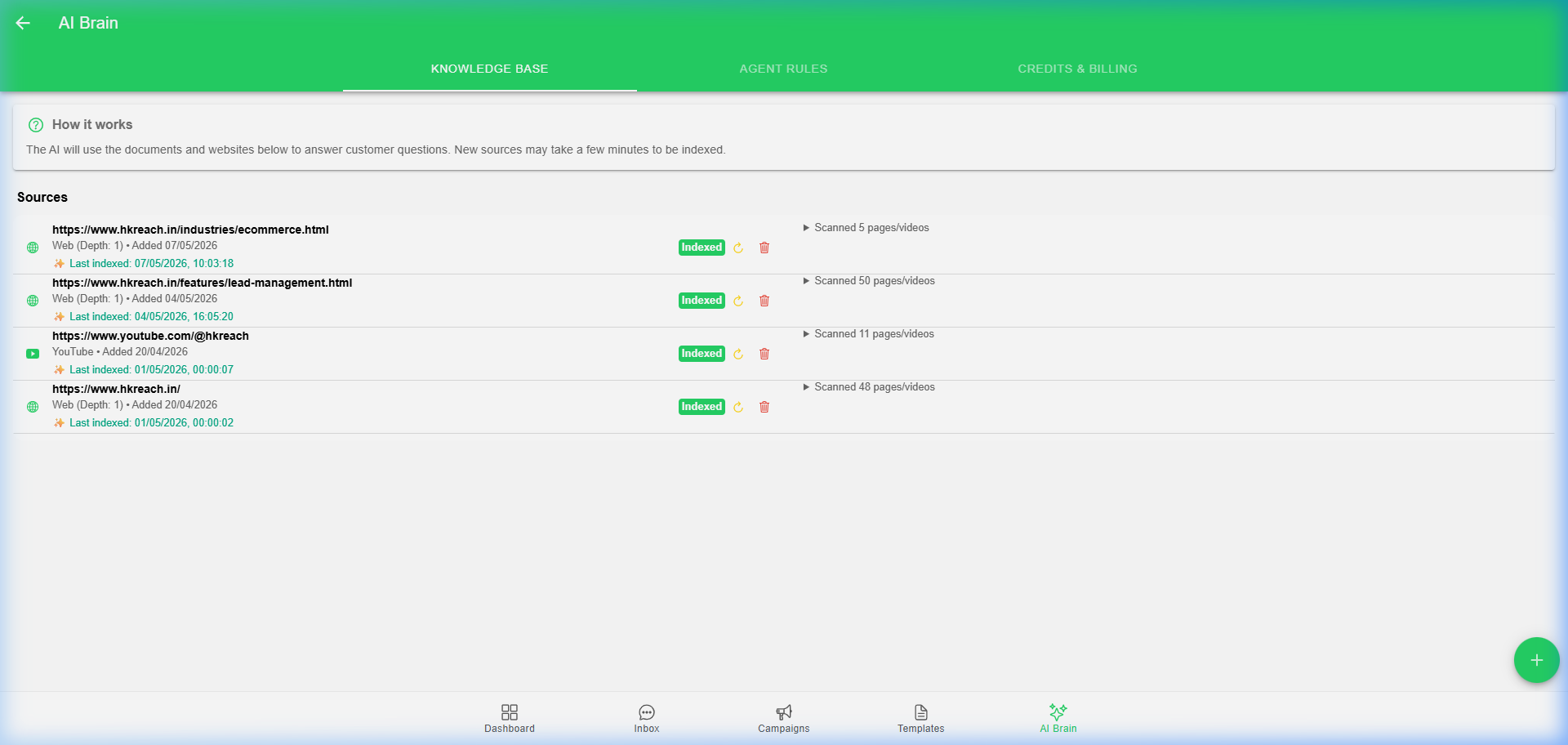
You can train your AI using:
- Websites: Enter your URL (e.g.,
https://yourstore.com) and choose a "Crawl Depth." The AI will automatically visit your pages and learn the content. - PDF Documents: Upload your product catalogs, price lists, or FAQs.
- YouTube: Enter a channel URL to let the AI learn from your video transcripts.
- JSON Data: Upload structured data for complex inventory or technical specs.
3. Setting the Personality (System Instructions)
You can define how your bot should behave:
- "You are a helpful customer support agent for a luxury watch brand."
- "Always be polite and keep answers under 200 characters."
- "If you don't know the answer, ask the user to wait for a human agent."
4. AI Credits
Every AI response consumes "AI Credits." You can monitor your balance and top up directly from the dashboard.
🛠️ Technical Administrator's Guide (Deep-Dive)
The AI Brain is a high-performance RAG system built on Google's Gemini models and vector search.
1. Technology Stack
- LLM: Gemini 1.5 Flash (optimized for speed and long context).
- Embeddings:
gemini-embedding-001. - Vector Database: Qdrant (stores mathematical representations of your knowledge).
- Processing: Background tasks handled via
KnowledgeIngestionBackgroundService.
2. The Ingestion Pipeline
- Extraction: Text is extracted from Web (HTML), PDF, or YouTube transcripts.
- Chunking: Large documents are broken into smaller, searchable pieces.
- Embedding: Each chunk is converted into a 768-dimensional vector.
- Indexing: Vectors are stored in Qdrant with
AppClientIdas a filter to ensure data privacy.
3. Query Logic
When a user message arrives:
- A vector search is performed in Qdrant to find the 3-5 most relevant chunks of knowledge.
- These chunks are injected into the Gemini prompt as "Context."
- Gemini generates a response using the context and the System Instructions.
4. Reliability & Rate Limiting
To ensure 100% uptime, HK Reach supports Multiple API Key Rotation:
- You can enter multiple Gemini API keys in the settings.
- The system monitors for
429 (Too Many Requests)errors and automatically rotates to the next available key. - Exponential backoff (3 retries) is built-in for transient network issues.
5. Crawler Configuration
- Max Depth: 0 (Home page only) up to 5 (Deep traversal).
- Nightly Sync: A background job refreshes your website sources every 24 hours to keep the AI's knowledge up to date.
[!IMPORTANT] The AI Brain will only answer based on the knowledge provided. If you want it to use general knowledge as a fallback, adjust your System Instructions to allow it.